
Smarter deep linking, Connections page, and other integrations improvements
A round-up of integrations improvements from the past few months.

If your job involves managing Padlet for a school or university, a meaningful portion of your life has probably been spent doing things that feel like they should just be a setting somewhere. We've been working on that. If you're a Padlet for Schools admin, here are a few LMS integration improvements that are relevant to you.
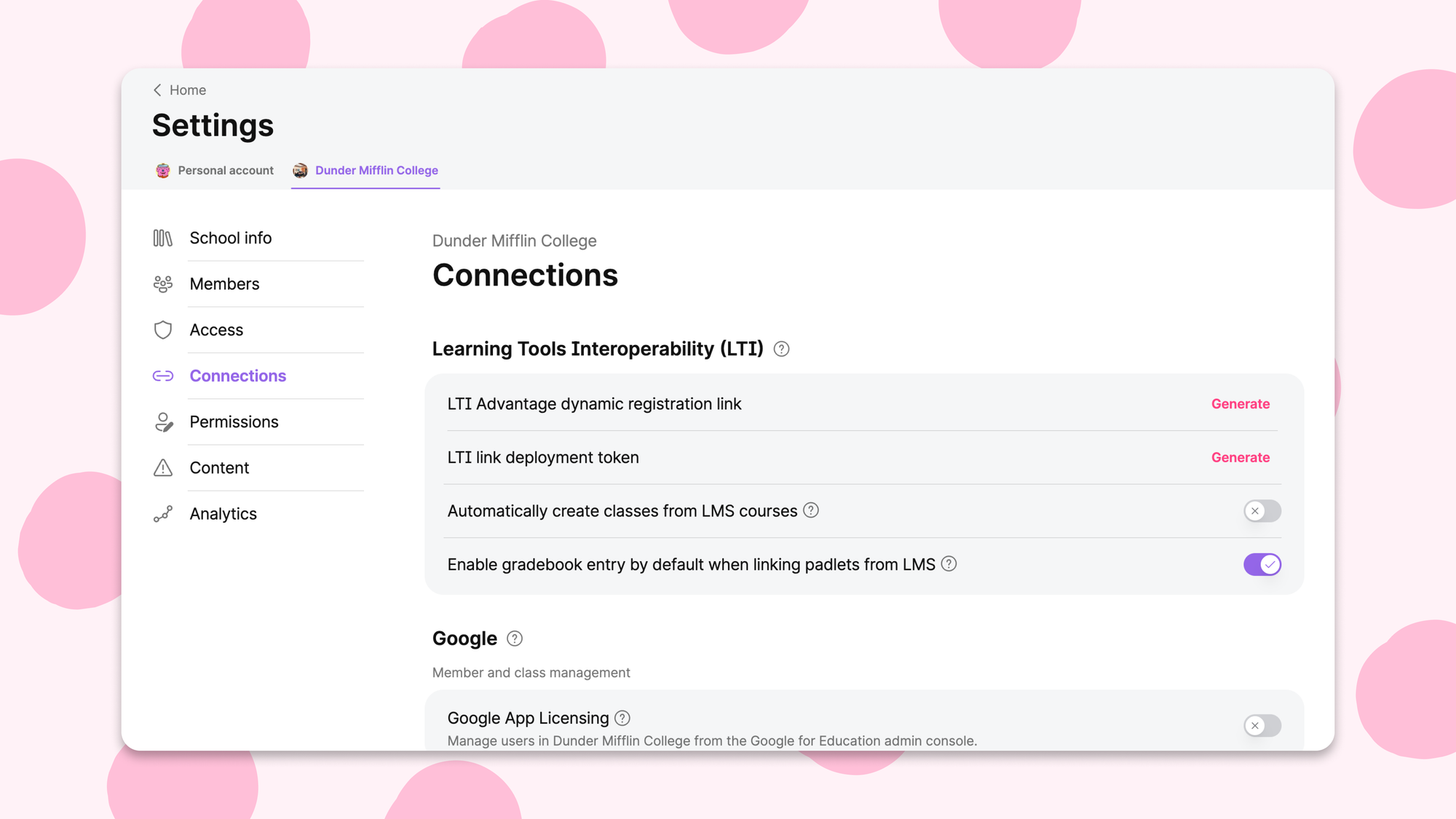
We’ve made four changes. We improved the LTI deep linking menu. We consolidated integrations into a Connections settings page. We implemented new self-service SAML settings. And we added a toggle for LMS gradebook settings.
What changed with the LTI deep linking menu?
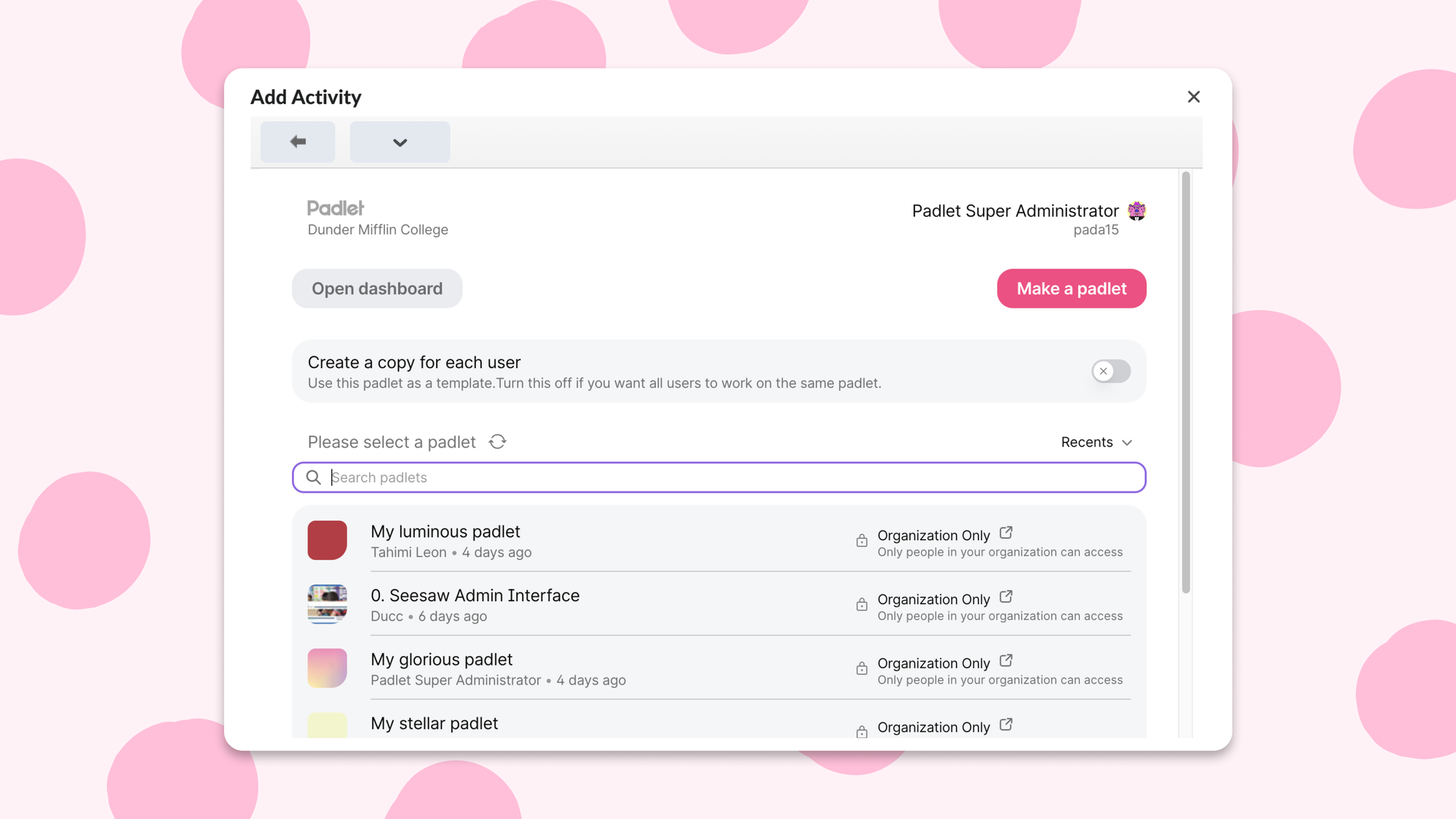
When a teacher links a padlet to an LMS assignment—in Canvas, Moodle, Schoology, wherever—they see a menu to pick which padlet to attach. Previously, this was a static, unfiltered list. If you had a lot of padlets, finding the right one meant scrolling and squinting.
The menu now works like your Padlet dashboard. Teachers can search by name, or filter by Recents, All padlets, Made by me, Favorites, and any bookmark folder. They can also link padlets they're an admin collaborator on, not just ones they created themselves.
A couple of other small things: if a padlet has privacy settings that are incompatible with the LMS, there's now a shortcut to fix them right from the menu. And there's a refresh button, for the extremely common situation where you just made a padlet, it hasn't appeared yet, and you really don't want to close the entire dialog and reopen it.
What is the new Connections tab?
In Padlet for Schools settings, integration-related settings used to live in two different places: some under "Security," some under "School Info." Navigating to either was fine if you already knew which one you needed.
Everything is now under one "Connections" tab: LTI, Google, Microsoft and other rostering options like OneRoster and Classlink. As part of this, "Security" has been renamed to "Access," which is a more accurate description of what that tab actually does.
What changed with SAML?
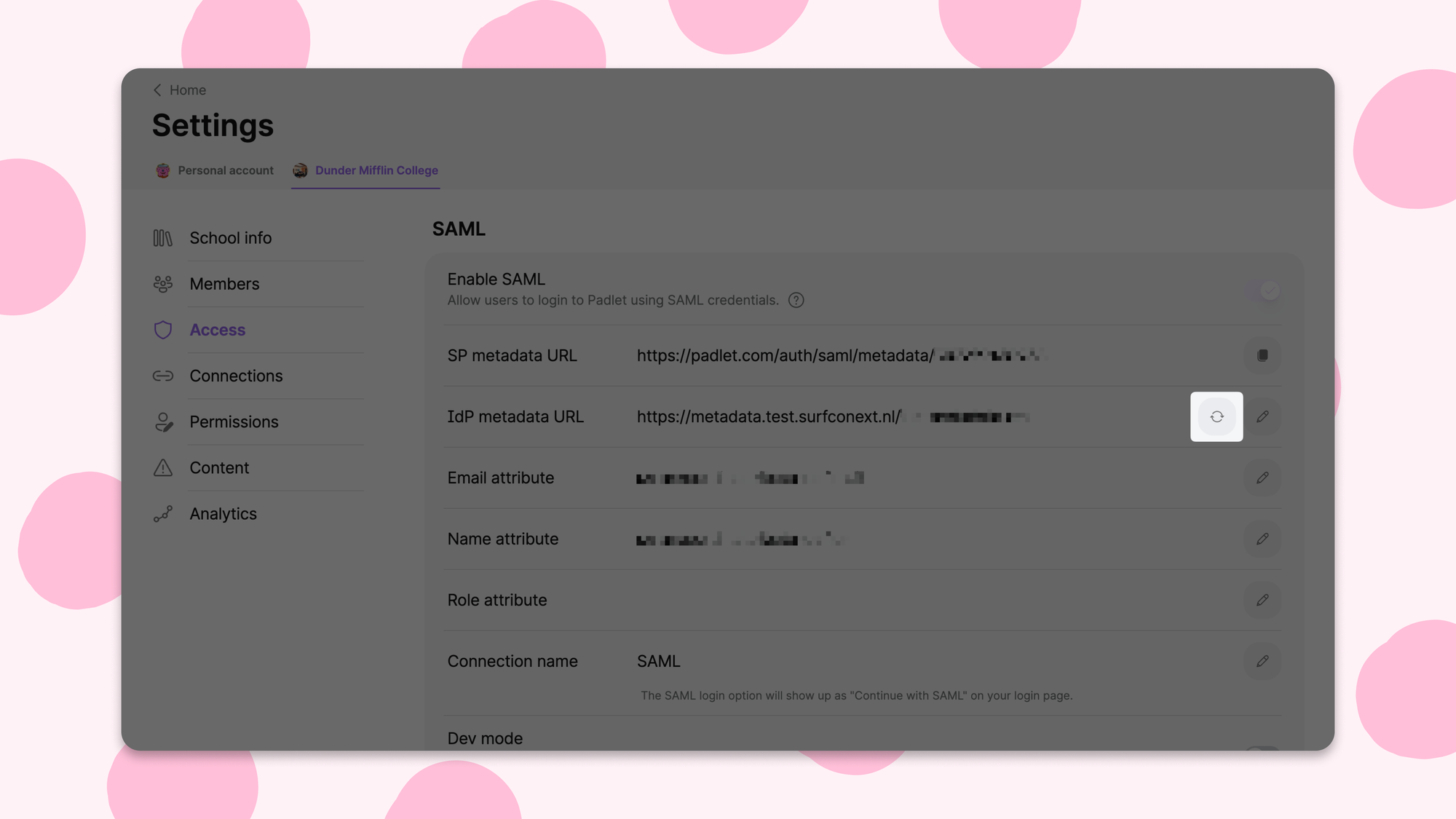
If your school uses SAML for single sign-on, you previously had to contact Padlet whenever your IdP metadata changed, like when a certificate rotated. We'd update it on the backend. You'd wait.
You can now update your SAML metadata directly from your admin settings. We also extended SAML to Team accounts, and added the ability to define which SAML roles map to Padlet's teacher role so you're not dependent on us to configure something that is, by definition, about your own organization's roles.
What is the LMS gradebook default toggle?
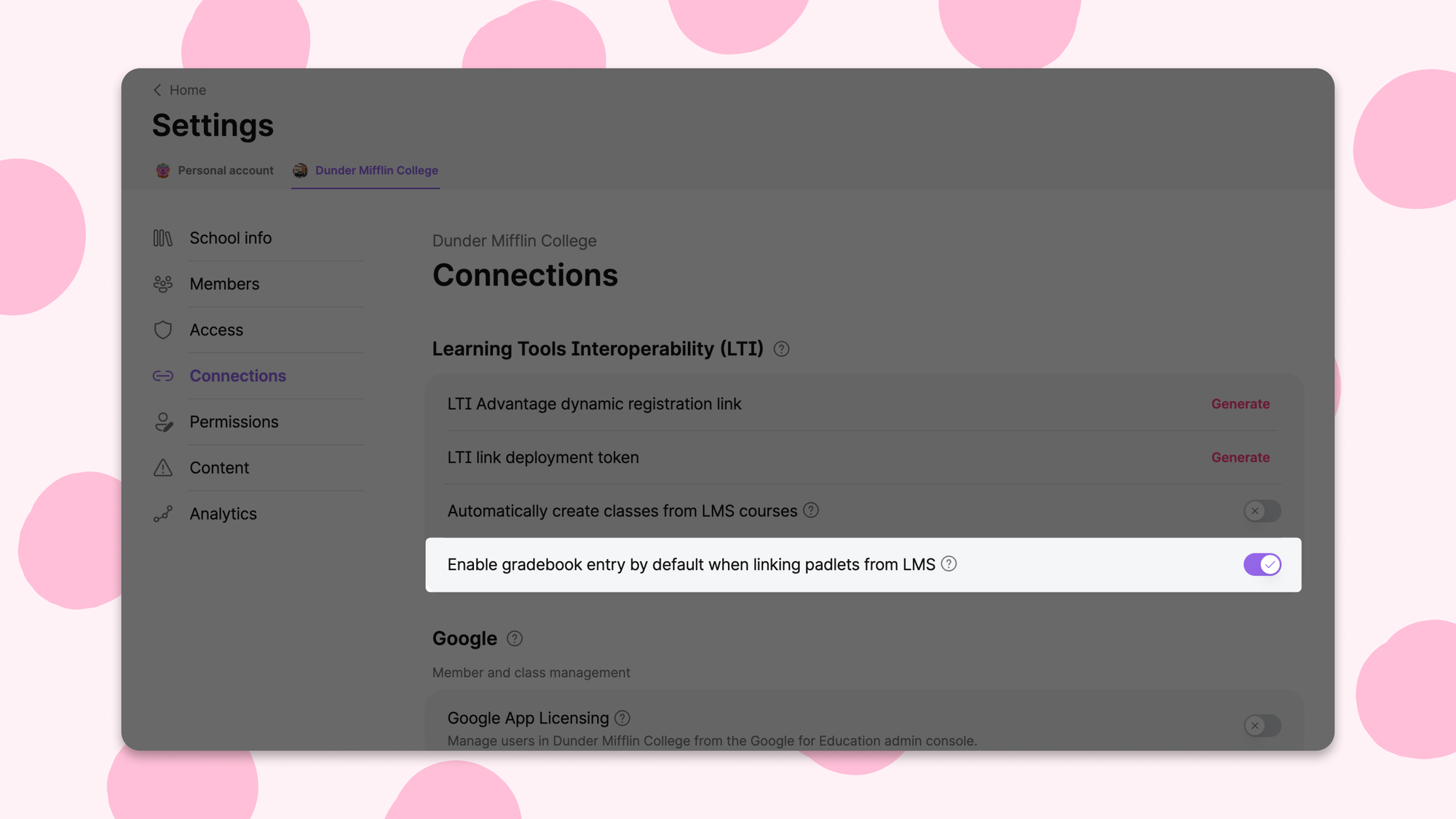
When a teacher links a padlet to an LMS assignment, there's a toggle called "Create a gradebook entry." When on, it automatically creates a grade item in the LMS.
For teachers who want a grade item, great. For teachers who don't, if you miss the toggle, you might end up with a grade item that you'd have to manually remove later. A small friction that compounds quickly across a whole institution.
A Padlet for Schools customer noticed this and wrote in asking if admins could set the default. Our support team passed the feedback to engineering, and we built it.
Padlet for Schools admins can now set whether gradebook entry is on or off by default for their whole library, from the Connections tab in their dashboard settings. Teachers can still override it per assignment; the default just gives admins control over what the starting state is.
There are probably more things that should just be a setting somewhere. If you know what they are, send us your feedback.