
Putting the drag back in drag-and-drop
Why we spent weeks rebuilding a feature that already kind of worked.

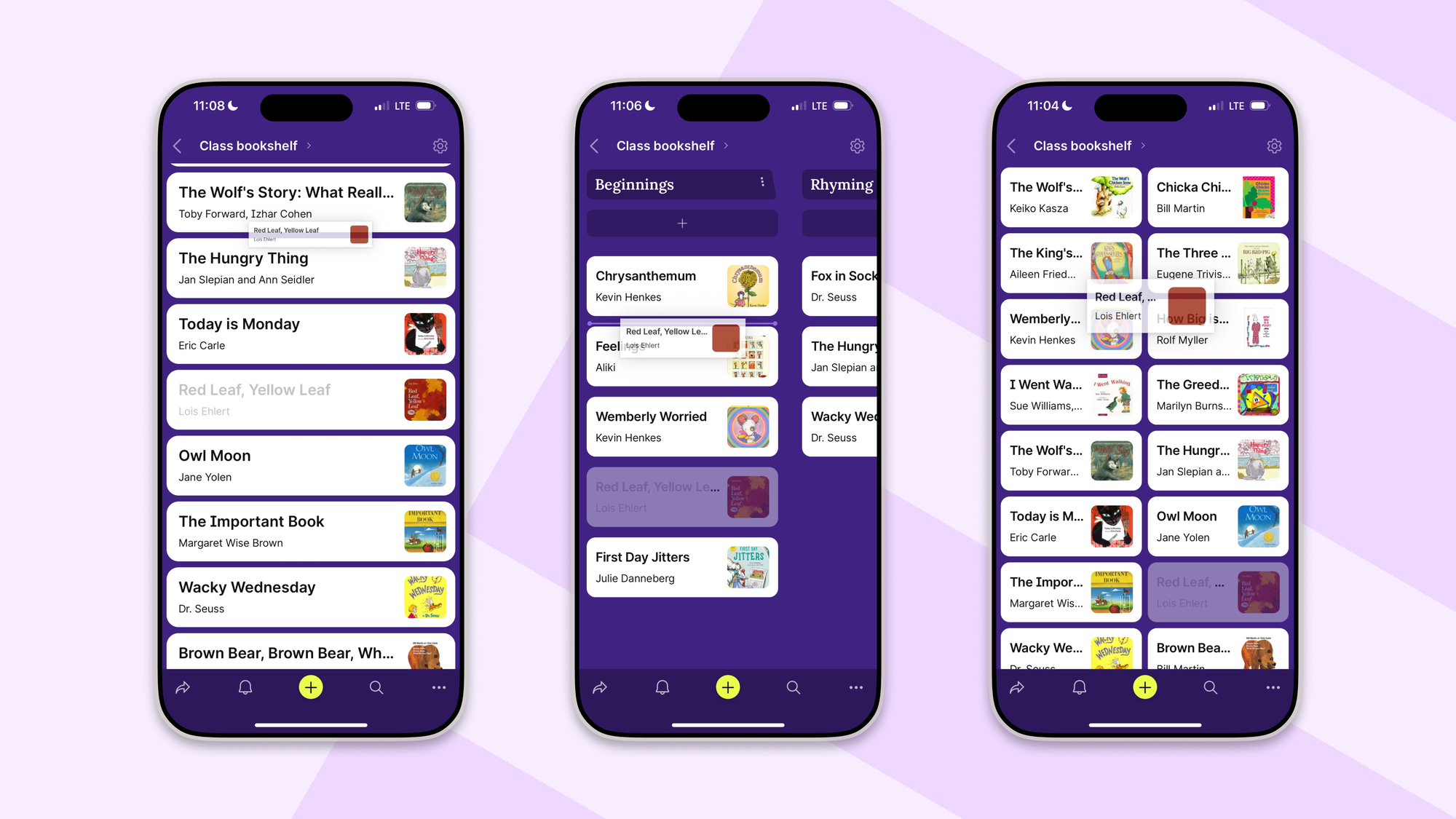
When you drag something on a touchscreen, there's a moment where the content around your finger needs to instantly rearrange itself, so the thing you're holding stays exactly under your fingertip. When it works, you don't notice. When it doesn't, the whole interaction feels off, like the app is fighting you a little.
Most people won't ever consciously register the difference. But they'll feel it. They'll feel that one app is a pleasure to use and another is mildly annoying, and they often can't say why. The "why" is almost always a thousand tiny details like this one, each invisible on its own.
For a while, ours was fighting you. We fixed it.
Wait, was drag-and-drop broken?
Not broken, exactly. More like quietly degraded. Drag-and-drop on Padlet still worked—you could pick up a post, move it, drop it somewhere else—but the polish had been chipped away over time. Two changes were mostly responsible: we removed the sticky header from boards, and we migrated to a newer drag-and-drop library. Each change made sense on its own, but together they meant that the small geometric niceties stopped working quite right.
Nobody filed a bug. We noticed during testing. The basic functionality was there, so nothing screamed "broken." It just felt slightly worse than it used to. The kind of thing where you keep adjusting your finger by a few millimeters and don't know why.
This is the sneakiest category of product problem. It's invisible to dashboards and bug trackers. It just sits there, slowly eroding the feel of the thing, until one day the product is meaningfully worse and no one can point to when it happened.
Okay, so what was actually wrong?
When you start dragging a post, it's supposed to collapse into a compact preview, and the surrounding posts are supposed to rearrange themselves around your finger. This makes just enough room that the compact preview stays exactly where you grabbed it from.
What was actually happening: the posts would compact in roughly the right way, but around the wrong spot. The board would shift up or down by a bit, and the post in your hand would no longer be where you picked it up. The most telling symptom was the "pick up and immediately let go" test. In a properly behaving drag-and-drop, if you grab a post and release it right away without moving your finger, it should drop back into its original position. Ours didn't. It would land somewhere slightly off. Close enough that you couldn't quite say what happened, but far enough to feel wrong. In effect, simply touching a post was reorganizing the board a little.
Now it compacts around the right spot. Pick up a post, let go, nothing moves. Pick it up and drag it across the board, your finger stays exactly on it the whole way.
This sounds like a lot of work for something most people won't notice.
It is. And we'd argue that's exactly why it's worth doing.
A product's feel is built almost entirely out of details that individually don't matter. The weight of a button press. Whether scrolling has the right amount of inertia. Whether a modal appears in 200ms or 350ms. Whether the thing under your finger stays under your finger. Each of these is small enough to dismiss. Together, they're the entire difference between an app that feels like an extension of your hand and one that feels like you're operating it through a layer of plastic wrap.
We care about this stuff because Padlet is something millions of people touch every day, often for hours. Small frictions, multiplied across that much use, stop being small. And there's no shortcut to fixing them. You just have to do the unglamorous work of finding each one and getting it right.
Why was this so much work? It's just drag-and-drop.
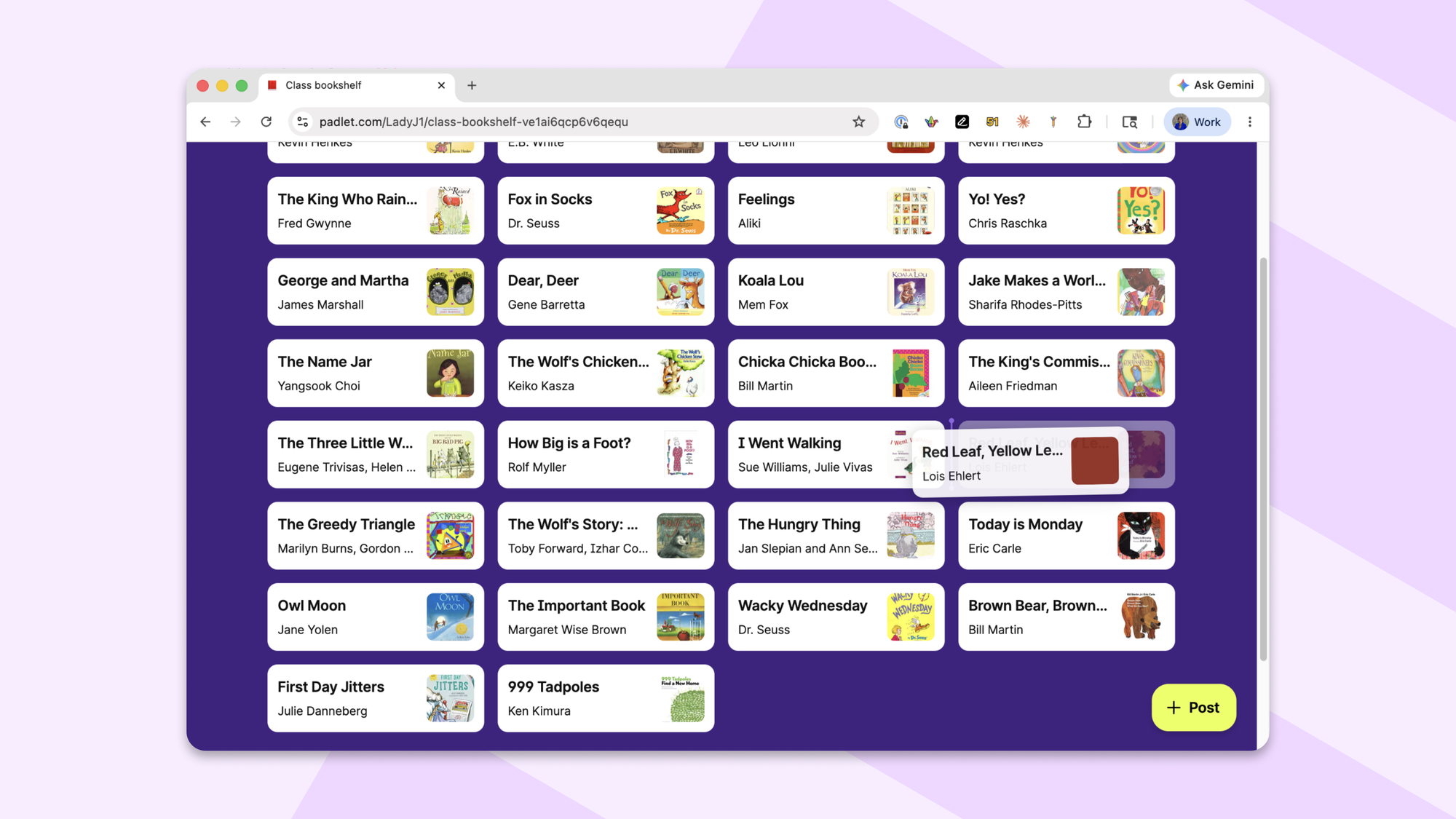
Because Padlet has a lot of layouts: Wall, Columns, Grid, Table, Freeform, Rows, Timeline, Stream, Map. Each of them displays posts differently, which means each of them needs drag-and-drop to behave slightly differently. Most of the work was finding an abstraction clean enough to handle all of them without becoming a tangle of special cases.
Some layouts were stubborn:
- Map is its own universe. Posts there are pinned to geographic coordinates, so the way they're laid out has almost nothing in common with the other formats. We essentially fixed it twice: once for everything else, once for Map.
- Grid had some undocumented sizing logic that nobody currently on the team had written, and we had to spend time reverse-engineering what it was trying to do before we could touch it without breaking it.
Plus, mobile had to be done separately from desktop. Touch interactions and pointer interactions diverge enough that sharing code would have meant compromising both. So we didn't.
Along the way we fixed a long tail of smaller things: the drag preview was sized wrong, the Columns layout would let you accidentally scroll sideways mid-drag, pinned posts weren't visually distinguished while you were dragging near them, a drop indicator had its bottom edge cut off in Rows. None of these were exciting individually. Together they added up to the difference between "fine" and "good."
How does the geometry actually work?
The fix sounds simple when you write it out: capture the pointer coordinates at drag start, calculate how much padding to add above and below, adjust the scroll position to compensate, and sequence the DOM updates in the right order. Reset everything cleanly when the drag ends.
In practice it's a lot of tedious geometry. Linh, one of our engineers, had worked out the original math years ago, but the layout had changed enough since then that we had to redo it from scratch. AI tools were of limited help here; describing "I want the post to stay under the user's finger as the surrounding layout collapses around it" turns out to be a pretty specific request, and the math has to be exactly right or things drift visibly.
How do you test something like this?
Carefully, and with the constant temptation to cheat.
The tempting shortcut when writing tests for geometric behavior is to replicate the app's math inside the test. If the app calculates "the post should end up at X pixels from the top," the test calculates the same thing and checks the result matches. This passes reliably and tells you absolutely nothing. You've just confirmed that the math equals itself.
The actual goal is to verify that the pointer ends up at the visual center of the collapsed card after a drag starts. That's a real, externally observable property, and it required a different kind of test setup. We wrote end-to-end tests for all layouts so that the next time someone migrates a library or removes a sticky header, we'll know within minutes if drag-and-drop has started fraying again.
Drag-and-drop works now. You probably won't notice. That's the point. If this is the kind of work that interests you, we're hiring.